In today’s digital age, having access to important documents like the Jan Aadhaar Card on your mobile phone is not just convenient but often necessary. Whether you’re applying for government schemes, verifying your identity, or accessing essential services, the Jan Aadhaar Card serves as a crucial document for residents of Rajasthan. But what if you need to download your Jan Aadhaar Card using your mobile phone? Don’t worry—this guide will walk you through the entire process step-by-step, making it simple and hassle-free.
What is Jan Aadhaar Card?
Before diving into the download process, let’s first understand what the Jan Aadhaar Card is. Introduced by the Government of Rajasthan, the Jan Aadhaar Card is a unique identification card that consolidates various government services and benefits under one umbrella. It serves as a single identifier for residents, enabling them to access welfare schemes, subsidies, and other services seamlessly.
Unlike the Aadhaar Card issued by the Unique Identification Authority of India (UIDAI), the Jan Aadhaar Card is specific to Rajasthan and is designed to streamline the delivery of state-specific benefits.


Why Download Jan Aadhaar Card on Mobile?
Downloading your Jan Aadhaar Card on your mobile phone offers several advantages:
- Convenience: Carry your card digitally wherever you go.
- Accessibility: Access your card anytime, even if you lose the physical copy.
- Quick Verification: Easily share your card for verification purposes.
- Eco-Friendly: Reduce the need for printing physical copies.
With these benefits in mind, let’s explore how you can download your Jan Aadhaar Card using your mobile phone.
Step-by-Step Guide: Jan Aadhaar Card Kaise Download Kare Mobile Se
Step 1: Visit the Official Jan Aadhaar Website
To begin, open your mobile browser and go to the official Jan Aadhaar website: https://janadhaar.rajasthan.gov.in. This is the only authorized platform for downloading your Jan Aadhaar Card.
Once on the homepage, look for the “Download Jan Aadhaar Card” option. This is usually prominently displayed on the main menu or under the “Citizen Services” section.
Step 3: Enter Your Details
You’ll be prompted to enter your Jan Aadhaar Number or Enrollment ID. Make sure you have this information handy. Additionally, you may need to provide your registered mobile number for OTP verification.
Step 4: Verify with OTP
After entering your details, an OTP (One-Time Password) will be sent to your registered mobile number. Enter this OTP on the website to verify your identity.
Step 5: Download Your Jan Aadhaar Card
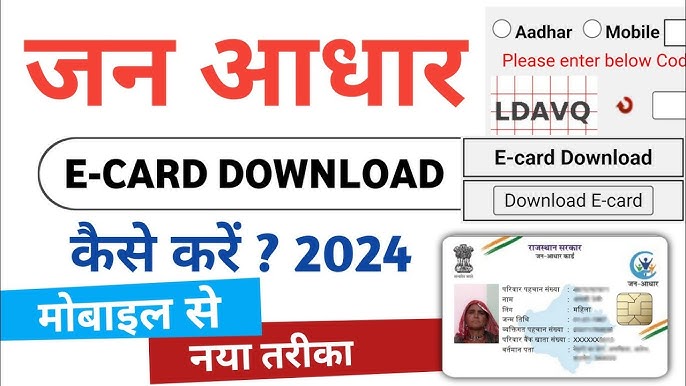
Once verified, your Jan Aadhaar Card will be displayed on the screen. Click on the “Download” button to save the PDF file to your mobile device.
After downloading, you can save the PDF in your phone’s storage or cloud service for easy access. You can also share it via email or messaging apps if needed.
Tips for a Smooth Download Process
- Stable Internet Connection: Ensure you have a reliable internet connection to avoid interruptions.
- Correct Details: Double-check your Jan Aadhaar Number and mobile number to prevent errors.
- PDF Reader: Make sure your mobile device has a PDF reader installed to view the downloaded file.
- Secure Storage: Store the downloaded file in a secure folder to protect your personal information.
Common Issues and Troubleshooting
While the process is straightforward, you might encounter some issues. Here’s how to resolve them:
- OTP Not Received: Check if your mobile number is correctly registered. If not, visit the nearest Jan Aadhaar center to update your details.
- Incorrect Details: If you enter the wrong Jan Aadhaar Number or Enrollment ID, the system won’t proceed. Verify your details before submitting.
- Website Downtime: Occasionally, the website may be under maintenance. Try again after some time.

Why Jan Aadhaar Card is Important
The Jan Aadhaar Card is more than just an ID—it’s a gateway to numerous benefits. Here are some key reasons why it’s essential:
- Access to Welfare Schemes: From healthcare to education, the card ensures you receive entitled benefits.
- Simplified Verification: It eliminates the need for multiple documents for identity proof.
- Financial Inclusion: Enables seamless access to banking and financial services.
Conclusion
Downloading your Jan Aadhaar Card on your mobile phone is a simple yet powerful way to keep your important documents accessible at all times. By following the steps outlined in this guide, you can easily download, save, and share your card whenever needed.
Remember, the Jan Aadhaar Card is not just an ID—it’s your key to unlocking a world of benefits and services. So, take a few minutes today to download your card and enjoy the convenience it brings.
Disclaimer
This post is for educational purposes only. If you have any issues or concerns regarding the content, please visit our DMCA page for guidance on post removal or ownership verification.
By following this guide, you’ll not only understand how to download your Jan Aadhaar Card on your mobile but also appreciate its significance in your daily life. Happy downloading!